

A customer clicks “Submit,” the account balance drops, an order ID appears, and the provider begins processing the request. To the customer, this looks like one simple action. Behind the dashboard, several records have to stay synchronized.
If you are asking what is an SMM panel script, this is the best place to start: it is the web application that coordinates users, balances, services, orders, providers, payments, and administrative controls inside a panel. It can automate routine transactions, but it does not create the underlying social media services or eliminate the need for security, support, and operational review.
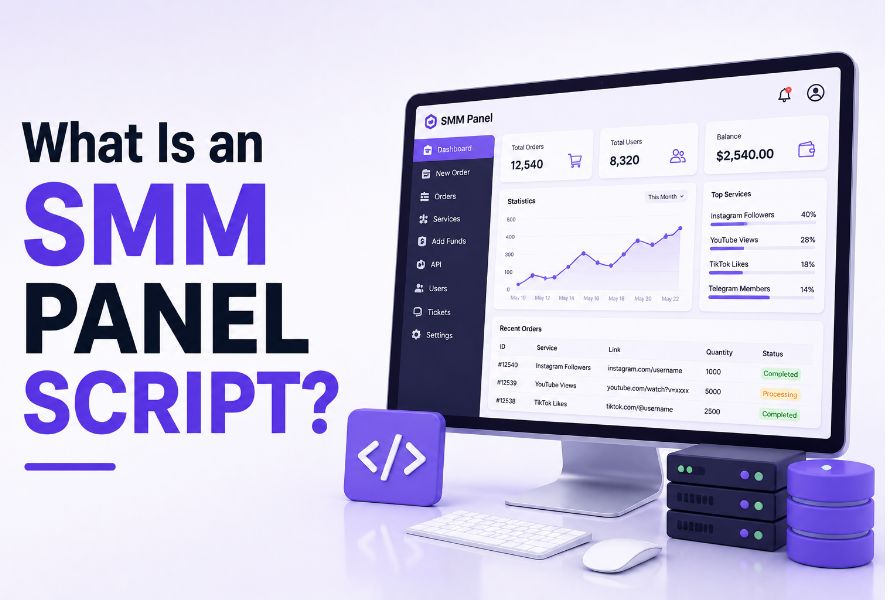
What Is an SMM Panel Script?
The direct answer to what is an SMM panel script is that it is software used to run an online social media service dashboard. Customers can register, add funds, choose a service, enter a target, place an order, and follow its status. Administrators use the same application to manage service categories, prices, users, provider connections, payments, refunds, and support records.
A customer sees the storefront of an smm panel. The script controls much of the transaction logic behind that storefront.
The word “script” can make the product sound like a small piece of code. In practice, a commercial panel script is usually a complete web application with a database, user authentication, an administration area, scheduled processes, API integrations, and financial records.
Follow One Order Through the Script
The role of the software becomes clearer when one order is followed from beginning to end.
Suppose a customer has $20 in account credit and places a $4 order. The application checks the service limits and target format, creates an internal order record, deducts $4, and sends the required information to a provider. If the provider accepts the request, its own order ID is stored beside the internal one.
Later, the script checks the provider response. A completed order can be closed. A canceled order may require the full charge to be returned. A partial order may require a proportional refund. If the provider times out after receiving the request, the software must avoid submitting an accidental duplicate.
This example explains what is an SMM panel script more accurately than a feature list. Its central job is to keep the customer balance, internal order, and provider order connected and traceable.
The purpose of the internal reference is covered in What Is an Order ID in an SMM Panel?
What the Software Manages and What It Does Not
An SMM panel script normally manages the commercial and operational layer. It can display services, calculate prices, record deposits, accept orders, communicate with providers, update statuses, and preserve support history.
It normally does not produce followers, views, likes, comments, subscribers, or other services by itself. Fulfillment usually comes from external providers connected through an API. The script sends the request and records the result.
A polished script cannot turn an unreliable provider into a reliable one. The reverse is also true. A strong provider cannot correct inaccurate balance calculations, weak payment handling, or missing order records inside the panel.
This boundary is essential when explaining what is an SMM panel script. The software controls how an order is sold and tracked. The provider controls how the selected service is processed.
The Main Systems Inside a Panel Script
The Customer and Administration Areas
The customer area normally contains registration, login, account credit, service selection, order forms, order history, deposits, tickets, and notifications. The administration area gives authorized staff access to users, orders, service settings, providers, payments, refunds, and reports.
These two interfaces may use the same database, but they should not expose the same permissions. A support agent may need to investigate an order without seeing payment secrets, provider API keys, server settings, or every customer record.
The customer interface is discussed separately in What Is an SMM Panel Dashboard?
The Balance Ledger
A panel should not treat the user balance as a number that can change without an explanation. Each deposit, order charge, refund, bonus, or manual adjustment should create a separate transaction record with a timestamp and related reference.
That history allows support to explain why a balance changed. It also prevents an old order from being recalculated using a new service price.
The Provider Connection
The provider connection sends service IDs, quantities, links, usernames, or other supported parameters to an external system. It also retrieves status information and, depending on the integration, service prices and limits.
A useful integration must handle more than successful requests. It needs a defined response for invalid targets, insufficient provider balance, disabled services, timeouts, partial delivery, cancellations, and unexpected data.
For a focused explanation of this layer, see What Is API in an SMM Panel?
Self-Hosted, Hosted, and Child Panel Models
Not every panel owner receives the same level of software control.
A self-hosted script is installed on hosting or a VPS controlled by the owner. Depending on the license, this may provide access to the database, source files, backups, server configuration, payment modules, and custom development. It also makes the owner responsible for updates, recovery, performance, and server security.
A hosted panel is operated on infrastructure managed by a vendor. Setup can be easier, but database exports, file access, customization, and migration rights may be limited. The owner should know what happens to users, orders, balances, and the domain if the vendor relationship ends.
A child panel is commonly connected to a parent panel and may rely on the parent’s infrastructure or service catalog. It can reduce setup work, but it may also create greater vendor dependency. The model is explained in What Is a Child Panel in an SMM Panel?
When someone asks what is an SMM panel script, the answer should therefore include the ownership model. Two dashboards can look similar while giving their operators very different control over data and infrastructure.
How to Evaluate a Script Before Buying It
Screenshots can show the theme, but they cannot prove that payment callbacks, refunds, provider errors, and backups work correctly. A live demo and clear technical documentation are more valuable than a long sales page.
Before paying for a license, investigate these seven areas:
- License and ownership: Determine whether the license is recurring, domain-limited, transferable, and inclusive of source files.
- Provider flexibility: Check whether you can connect multiple providers, map services manually, and disable unstable sources.
- Order logic: Test how the application handles partial, canceled, failed, and duplicate orders.
- Financial records: Confirm that deposits, charges, credits, and refunds create traceable transactions.
- Permissions and logs: Review staff roles, administrator activity records, payment logs, and error logs.
- Updates and support: Ask how security patches are delivered and what happens when the support period ends.
- Backup and exit path: Confirm that data can be exported and the application can be restored or migrated.
The best script is not automatically the product with the most themes or imported services. It is the product whose order history, financial records, ownership terms, and recovery process can be tested before customers depend on it.
Security, Licensing, and Nulled Scripts
A panel script may store account details, balances, transaction references, support messages, provider credentials, and payment configuration. Security therefore belongs in the buying decision, not in a later redesign.
The OWASP Application Security Verification Standard provides a useful external reference for reviewing web application security requirements. A vendor does not need to use the same terminology, but it should be able to explain authentication, access control, session management, logging, data protection, and update procedures.
A nulled script is an unauthorized copy whose license controls have been removed or bypassed. Because its code has been modified, the buyer cannot easily know whether it contains hidden administrator access, payment redirection, credential theft, malware, or disabled updates.
A low purchase price is not a saving if the application exposes customer or provider data.
For broader panel-use risks from the customer side, read Is an SMM Panel Safe?
Do You Need Coding Skills?
A documented script may be installed without writing a custom application. That does not make the software maintenance-free.
The operator still needs access to someone who understands the server environment, DNS, SSL, databases, file permissions, scheduled tasks, email delivery, API credentials, backups, and error logs. Custom payment modules, compatibility problems, performance work, and security reviews may require a developer.
Many panel applications are built with PHP, although the exact technology depends on the product. The official PHP installation and configuration documentation illustrates why server compatibility and runtime configuration must be checked against the script vendor’s stated requirements.
Understanding what is an SMM panel script also means understanding this limitation: ready-made software reduces initial development, but it does not remove responsibility for maintenance.
When Is the Script Ready for Real Orders?
Installation is only the first technical milestone. The software should be tested through successful and unsuccessful order paths before public launch.
A practical test should prove that a customer can register, receive a verified deposit, place an order, obtain the correct status, and receive an accurate refund when a test is canceled or partially delivered. Staff should be able to trace the payment record, internal order ID, provider order ID, balance transaction, and status history without editing the database manually.
The complete build and launch workflow is covered in How to Create an SMM Panel
That article explains how the script fits together with hosting, providers, payments, testing, support, and launch controls. This page is limited to the software layer itself.
What Is an SMM Panel Script in Practical Terms?
The clearest answer to what is an SMM panel script is that it is the transaction and management application behind an SMM panel. It connects customers, balances, services, orders, provider requests, payments, staff actions, and support records.
Its quality should not be judged only by visual design or the number of features advertised. A dependable script should preserve an accurate history of what the customer paid, what was ordered, where the request was sent, how the provider responded, and how the final balance was calculated.
Choose the software only after its license, data ownership, provider logic, security process, financial records, and recovery path have been examined. Those controls matter more than a crowded service catalog.